essay10 September 20269 min read
fun things with my smart mirror
The intercom mirror in my rented apartment sat unplugged for a year. Fable and I turned it into the display I wanted.
updated 13 September 2026
When I moved into my new apartment, one of the things I was curious about was the Vercon Smart Intercom Mirror. It touted a full smart home environment, ties to the intercom, etc. I generally never bought into smart home systems (there is a joke here somewhere about a software engineer and keeping an axe for his toaster) but I decided hey, I’m renting the place, this could be cool to try out.
…only to find out that the apartment didn’t have any smart features to actually take advantage of any of the software on the mirror. Disappointing, though I was safe from a toaster uprising and saved money on having to buy an axe. It also had an incredibly ugly, clunky, and awful to use, user interface! I hated it! Unplugged you go! To the island of misfit toys!
I kept the smart mirror off permanently for my first year as a tenant, but I hate having something just sitting there—useless. I started to think of ways I could make this smart mirror useful. I have seen several personal projects of people creating their own smart mirrors over the years (usually going all the way to the hardware side) and decided to give it a run. LLMs have compressed timelines on tasks that would have taken me a lot longer than they were worth in the past, and I had a weekend where I felt like being a hermit. Why not throw Fable at it?
My needs are relatively simple. I wanted to have my work and personal calendars on the mirror so I could have an overview of my day, the ability to look at the next two weeks, and to make the Smart Mirror actually function as an intercom system for calling people up so I didn’t have to have my phone so attached to me all day. I had a general design system in mind (growing up with a heavy influence from Japanese internet culture and cyberpunk played a role in what I envisioned), so decided to just throw it all together from prototype to end product, iterating along the way.
The experience made me realize that not only is Fable a great coder, it was fantastic at understanding my design intent and making implementation suggestions along the way!
The first thing I did was pull the mirror off the wall. I assumed I would need a cable into the thing to load my own software, so I flipped it around to reach the back and found a USB port, an Ethernet jack, and a power lead. Then I remembered that Android has wireless debugging, and the default OS was clearly based off of that. Seven taps on the build number, a six-digit pairing code, and my laptop was talking to the mirror over the apartment Wi-Fi.
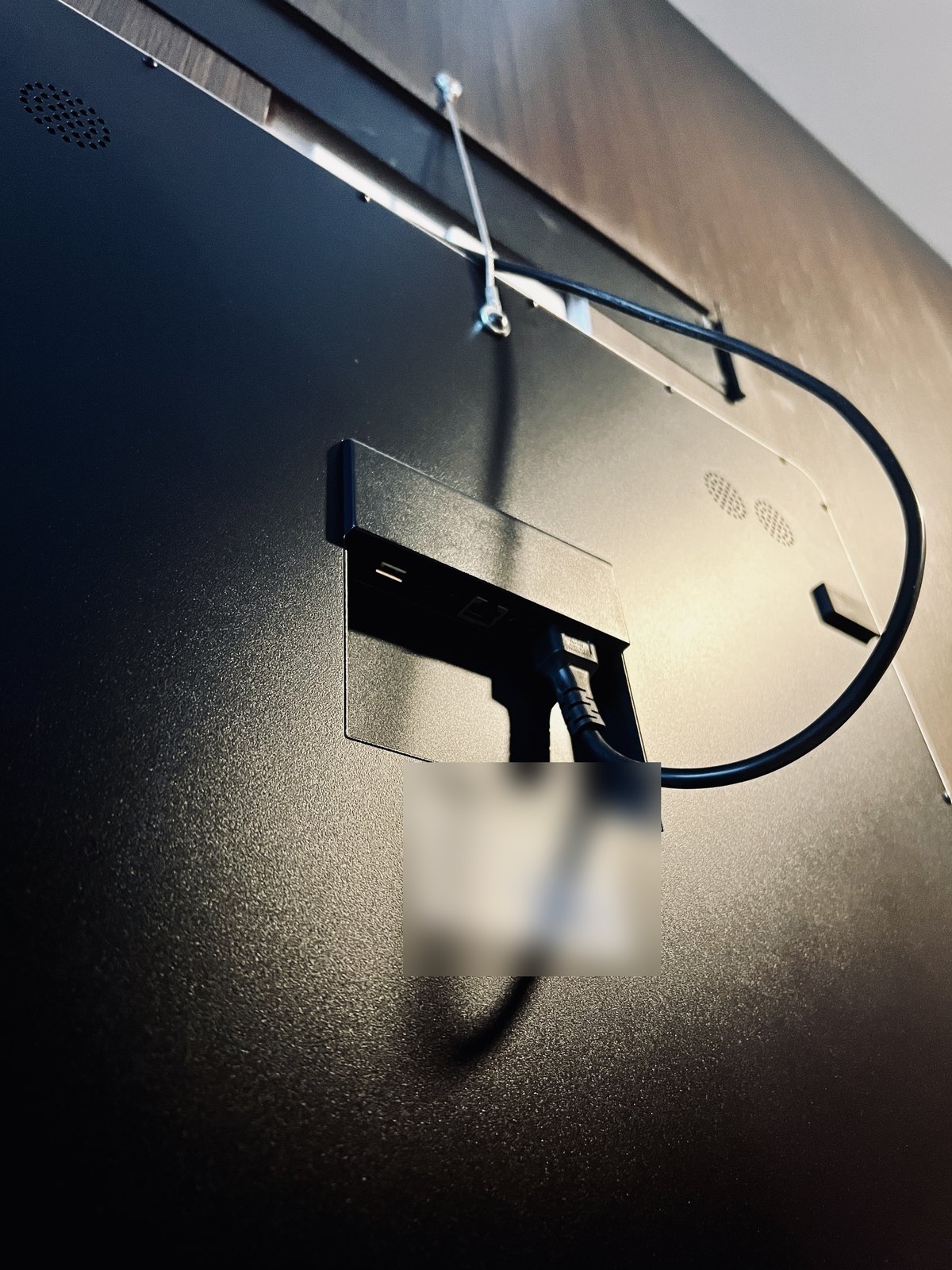
The fact that it was based on Android also made my life easier, as this ecosystem is relatively easy to customize based on ages old experience. Re-mounting the mirror on the wall, Fable and I began to investigate what some best implementations could be.
An hour of read-only poking told us what we had: Android 11 on a Rockchip board, a 1920 by 1080 panel behind two-way glass, and no root. Two shell commands could swap the stock launcher out, and two more could put it back if I moved out. Nothing needed flashing. As I rent the place, everything had to be reversible.
Fable’s first plan was pretty dull. Its suggestion was serve a web page into a kiosk browser and call it a launcher. I told it that was lame. I wanted a native app that owned the whole screen. Fable replanned in about a minute and never argued for the browser again. A good assistant will build the safe thing unless you tell it what you want, which is where even having a touch of experience can really lead an LLM to a better product.
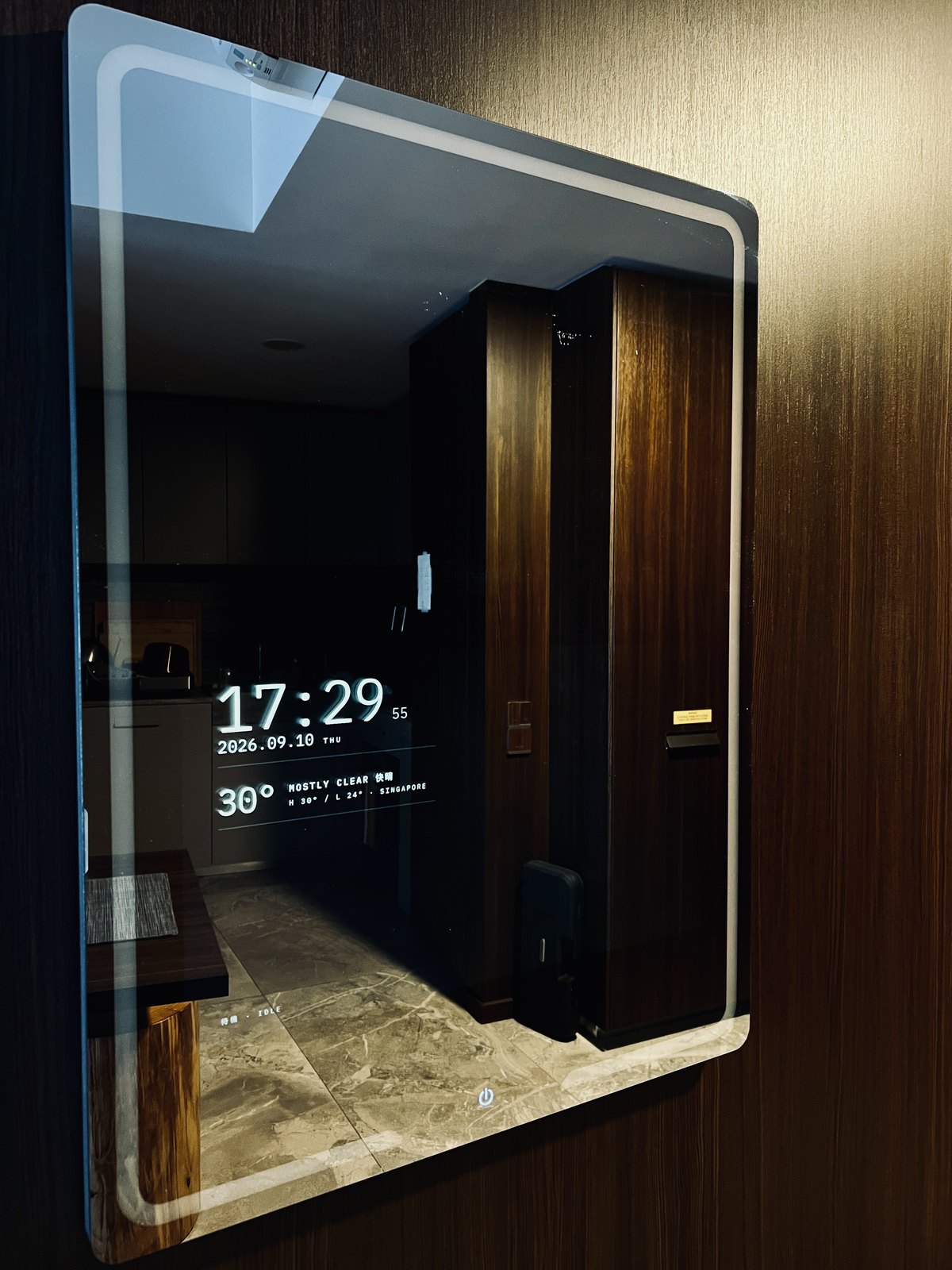
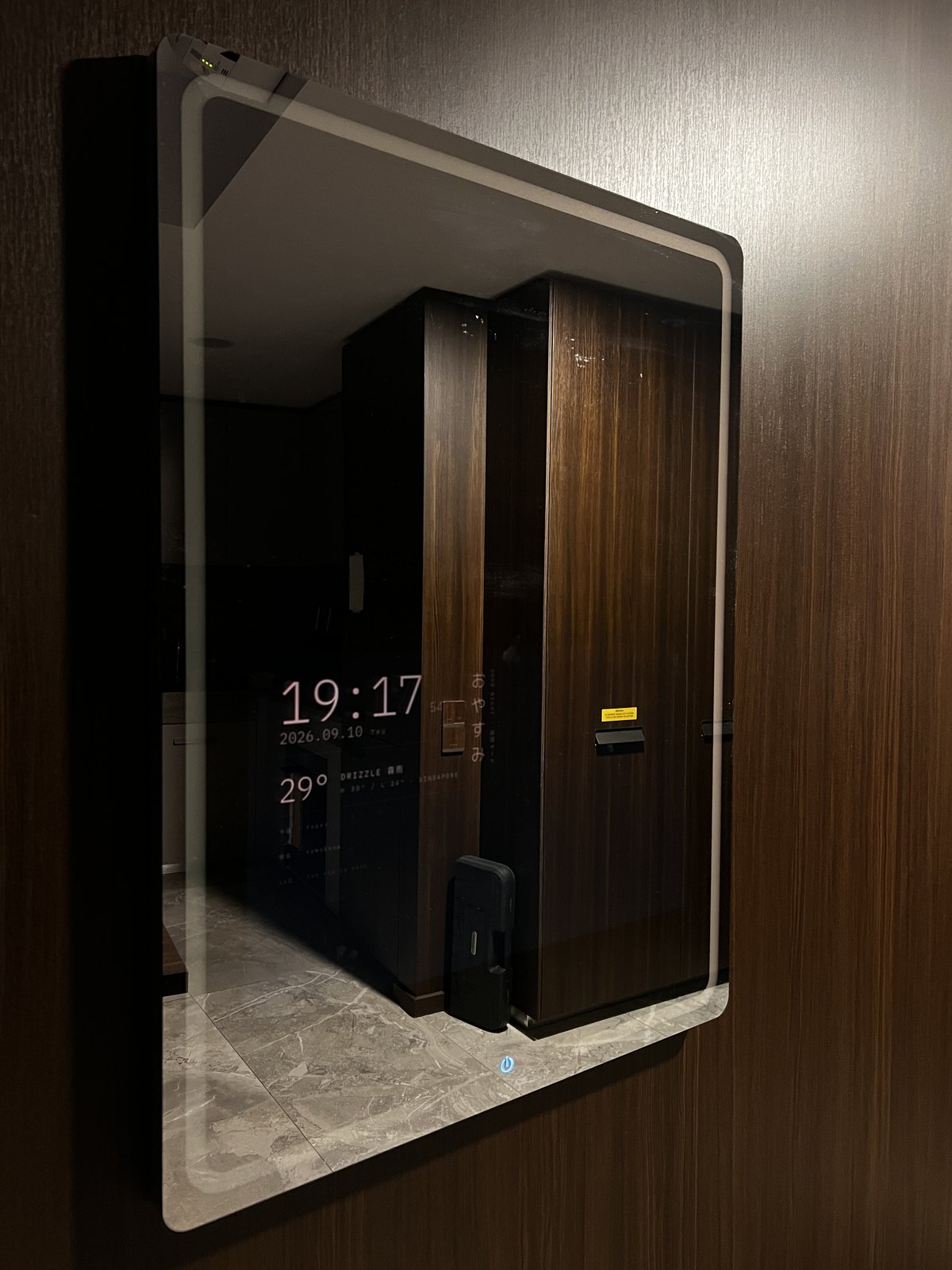
Three rounds of mock-ups later we had a left column, which leaves the right half of the glass empty for the intercom app when a call comes in (the original plan, which was abandoned later, but I still liked the layout). The type is IBM Plex Mono with M PLUS 1 Code for the Japanese, ported from my startpage. After 19:15 everything turns a deep red so the glass avoids being an eye-sore late at night. The greeting runs down the side in Japanese because I simply liked how it looked.
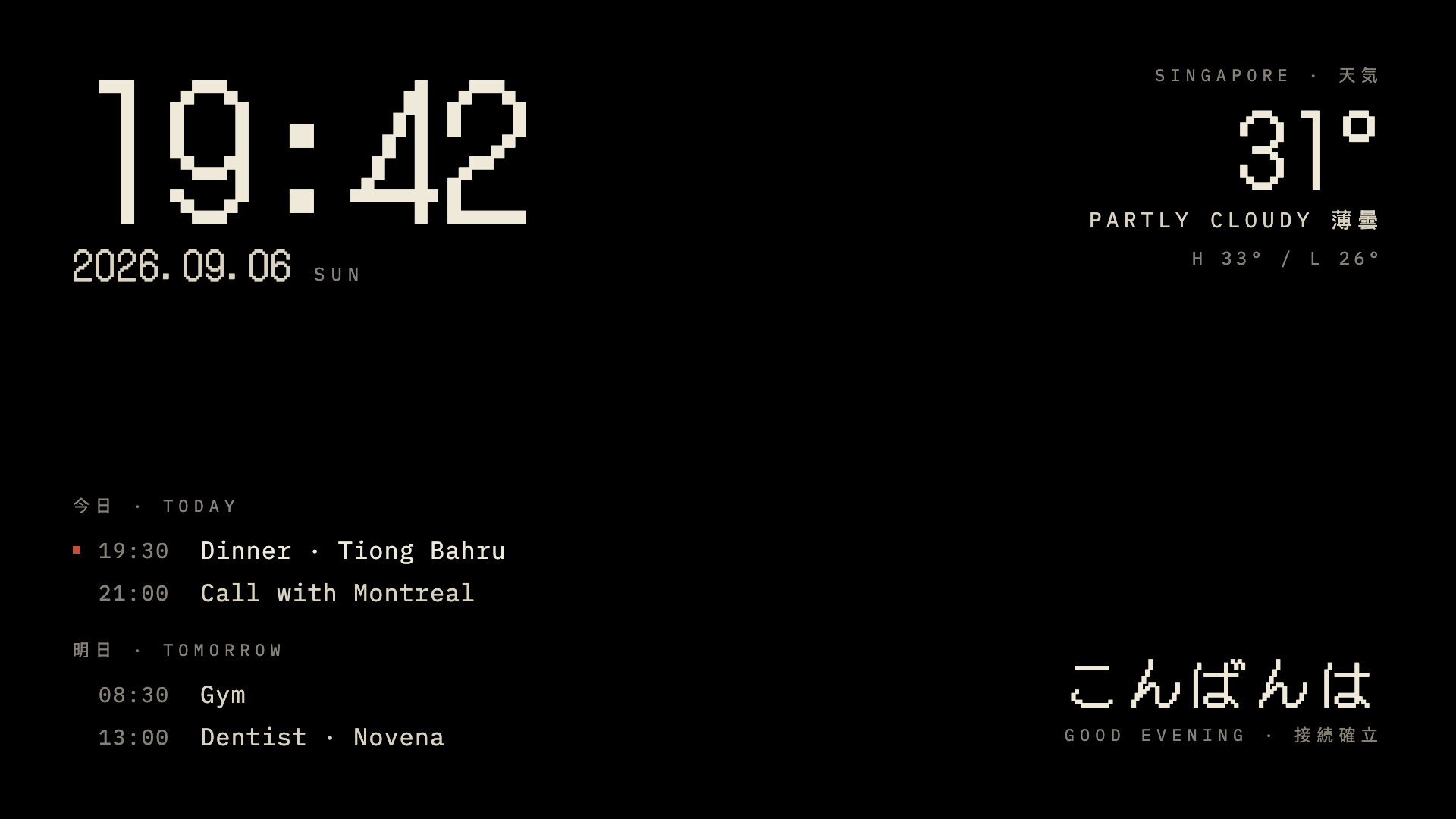
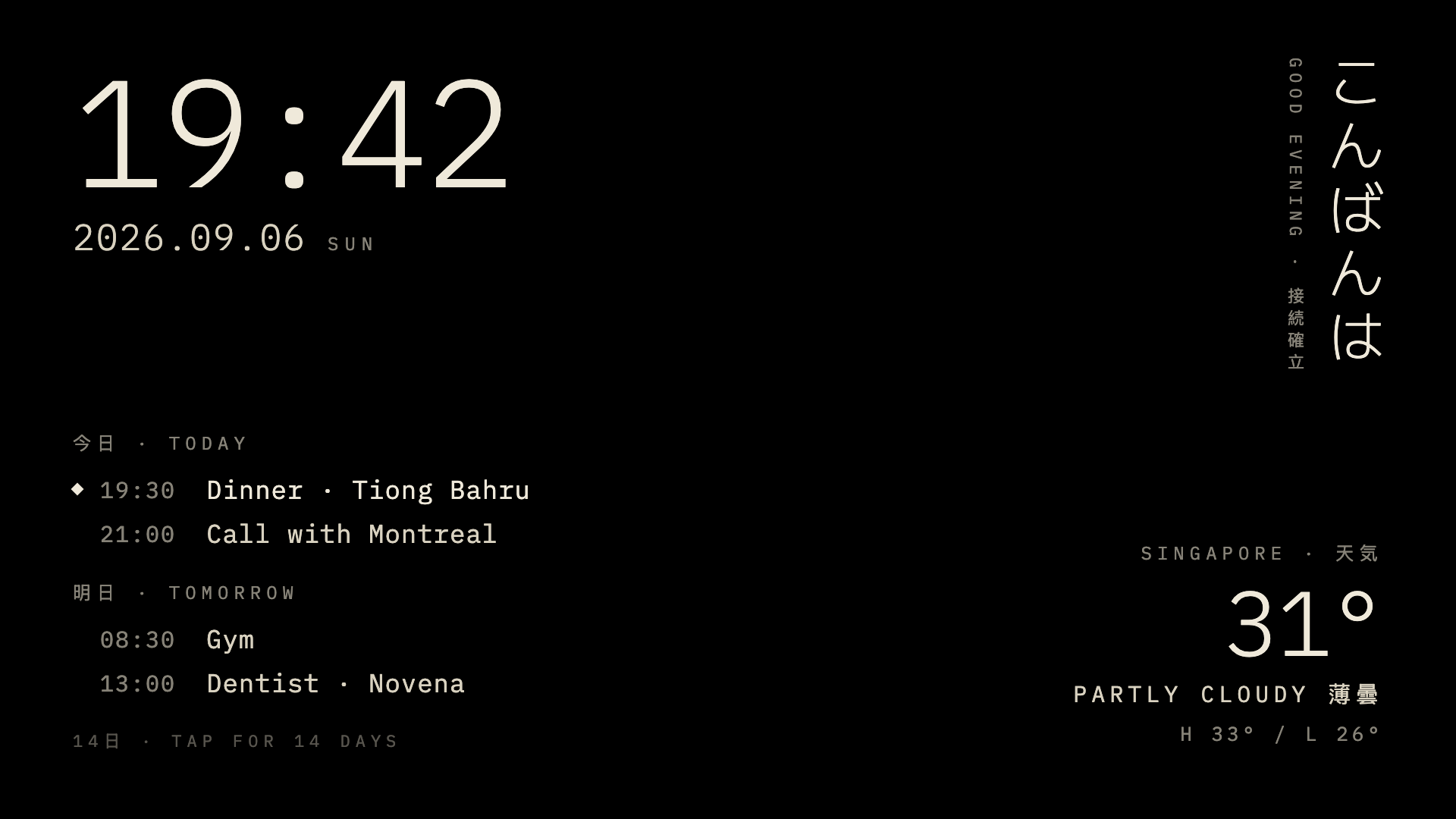
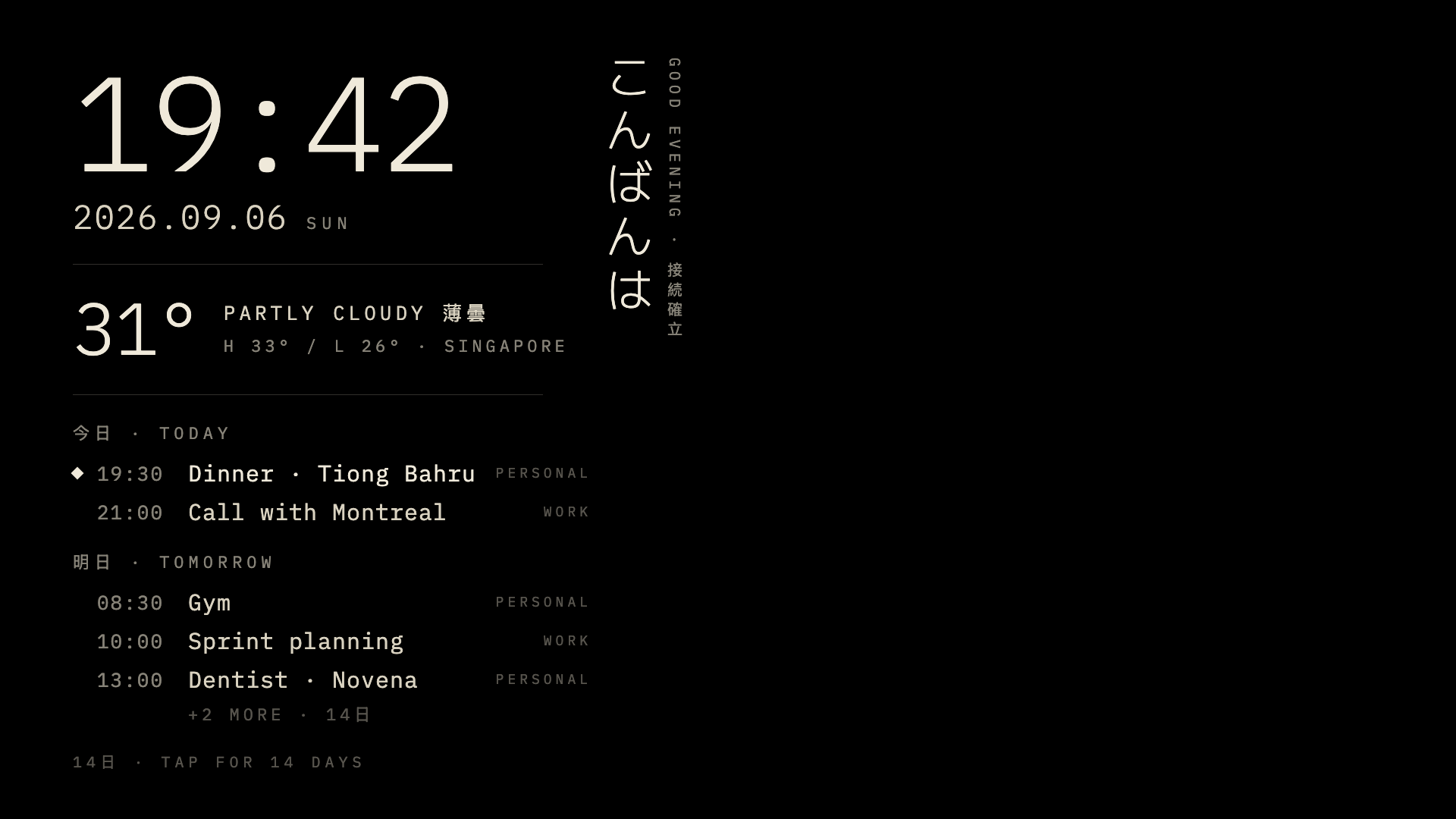
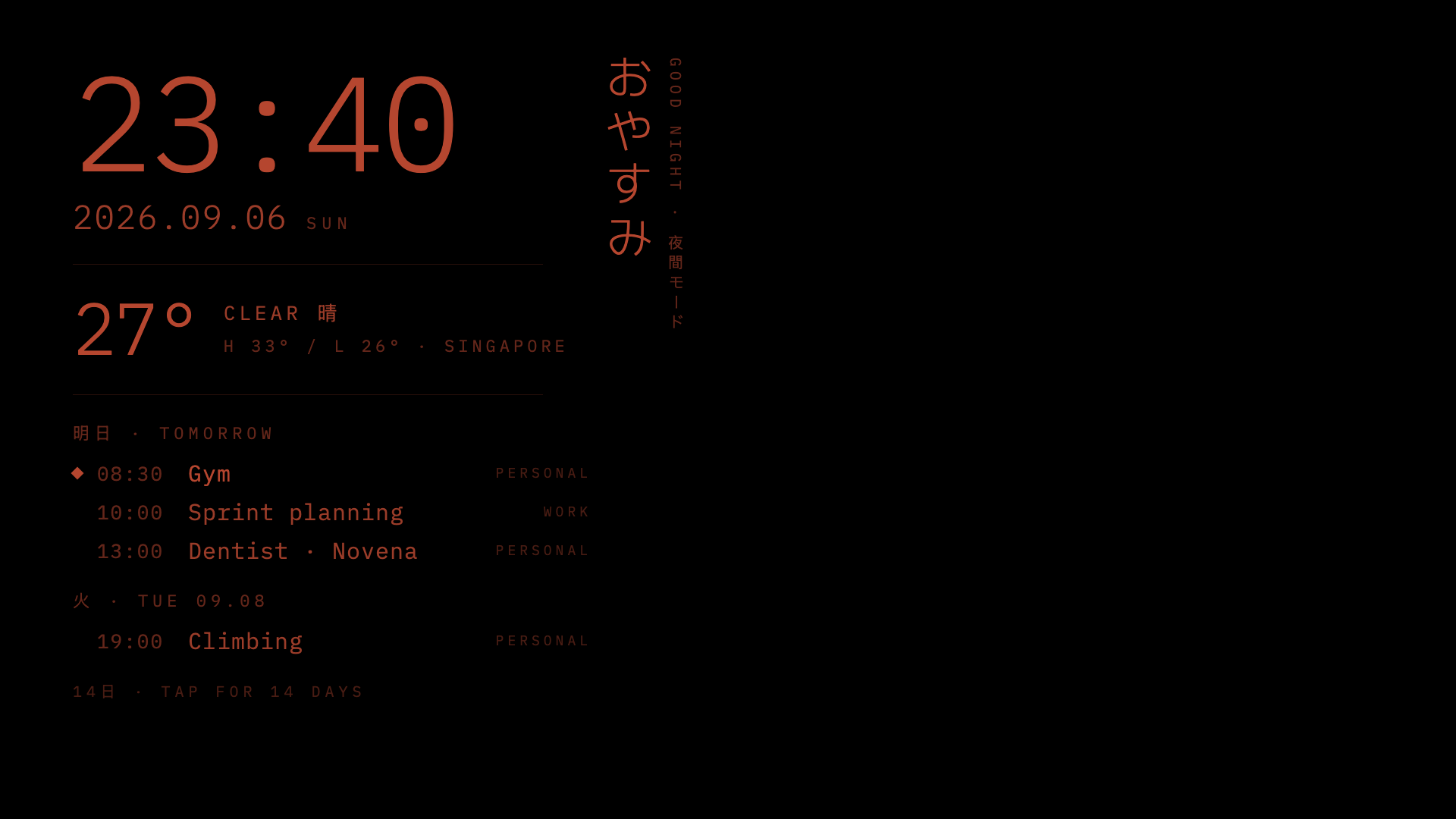
It also suggested things I never thought of!
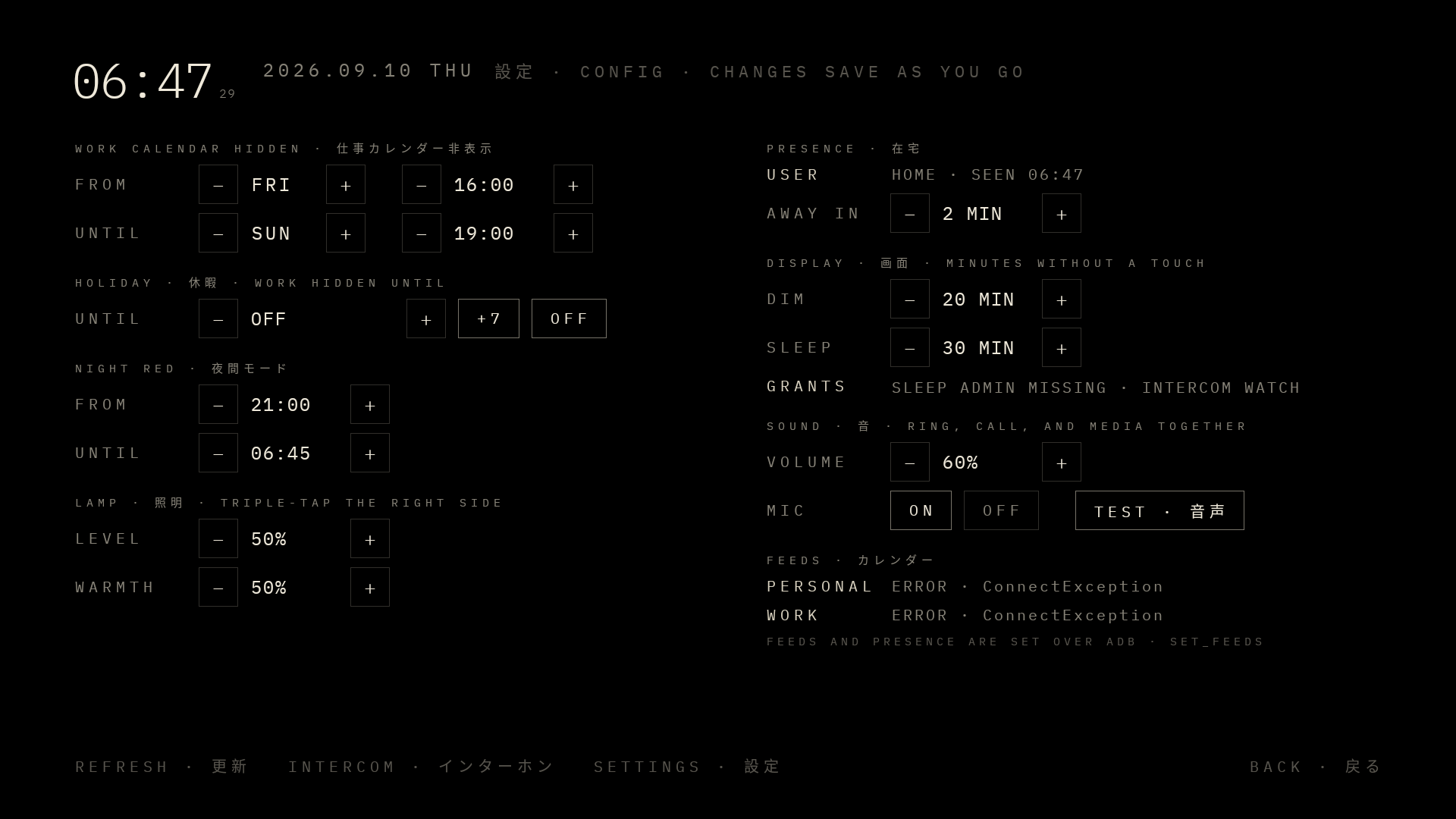
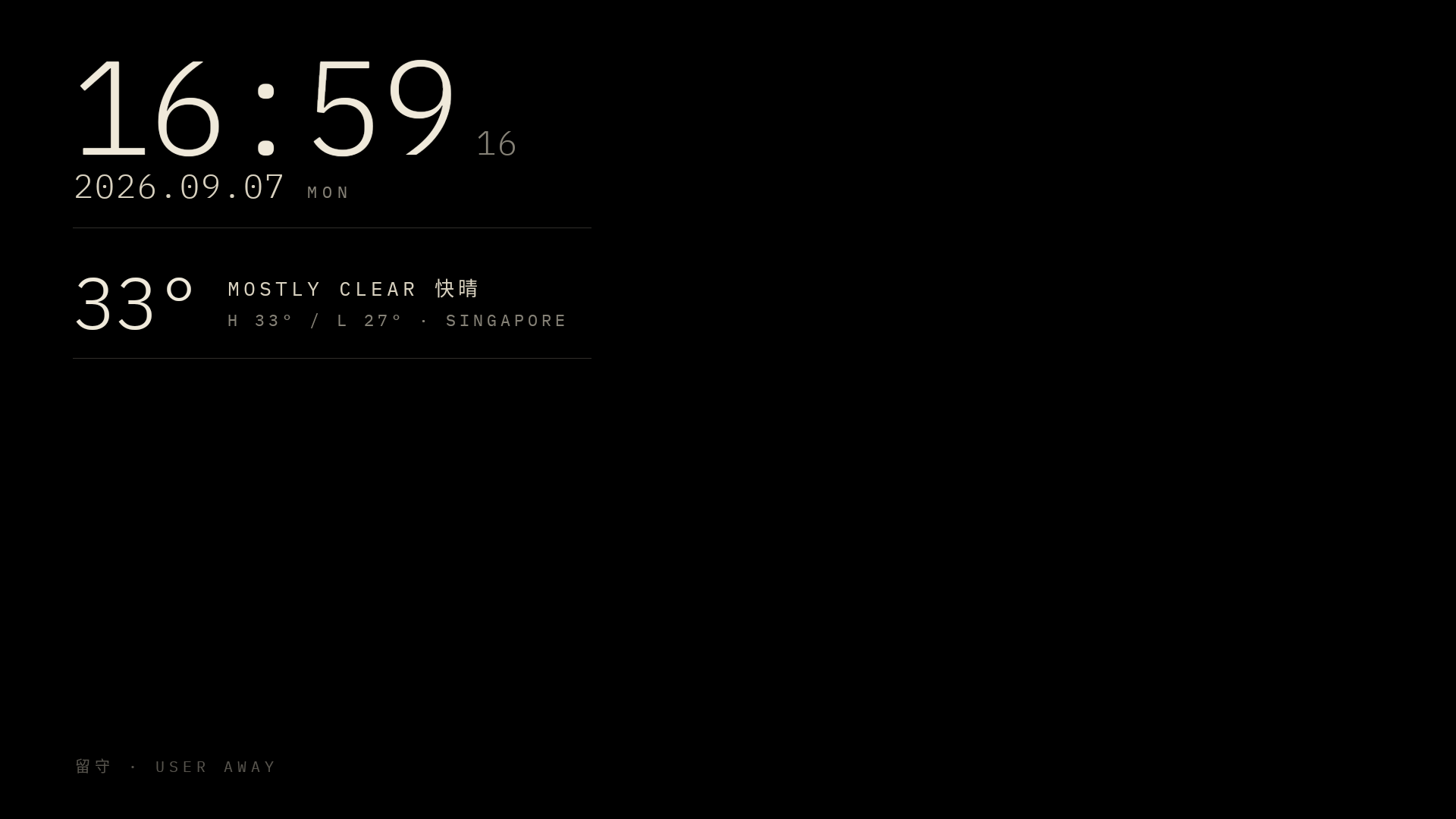
Presence was the best of them. The mirror pings my iPhone over Wi-Fi once a minute, and once the phone has been silent for twenty-five minutes the calendar folds away. The glass shows only the clock, the weather, and 留守 · USER AWAY. Return, and it is back within a minute or two. A privacy feature I really may never use, but nice nonetheless.
The guest lock and its unlock were my ideas, and Fable orchestrated a way to make it work. A long press hides the calendar on demand, and the only way out is a tap pattern. I’m not going to write it here, as this guest lock was made all because my friends can not help but just tap everywhere on this screen when they come over, leaving their grubby little fingerprints all over the place. My secret life and calendar are hidden from my curious guests!
Two more came from Fable unprompted. When a day has more events than the column can hold, the overflow line reads +X MORE, and a tap on it opens that day. After the first food delivery left the intercom app’s call screen stranded over the mirror for an afternoon, Fable proposed a watcher. It wakes the display when the lobby rings, and once no ring or call has been heard for a minute it brings the mirror back. I would have lived with the stuck screen for a week before thinking of that.
The build ran in phases over a weekend. Saturday morning was reconnaissance and the launcher swap; by the afternoon the glass showed the clock, the date, and the weather from Open-Meteo. Sunday brought the calendars. A rule hides the work calendar from Friday afternoon until Sunday evening.
The little touches and features at the end were the fun part, each one a small piece of my personal tastes. They added seconds to the clock, a swipe through the cities I care about, a holiday mode, and a dim step at thirty minutes with a screen off at sixty. The strip of light behind the glass took longer. Fable decompiled the stock launcher to find it, traced it to two PWM channels, and now a triple tap on the right side of the glass turns it on. Volume and the microphone got their own rows on the config panel once we confirmed the mirror had both.
The first night the mirror slept properly, but the app restarted itself every fifteen minutes until morning. Android’s Doze had cut its network, every calendar fetch failed, and a safeguard kept relaunching it. Fable read the 6 a.m. logs, explained it, and fixed it in one pass. Light work, and work that I really had no time for!
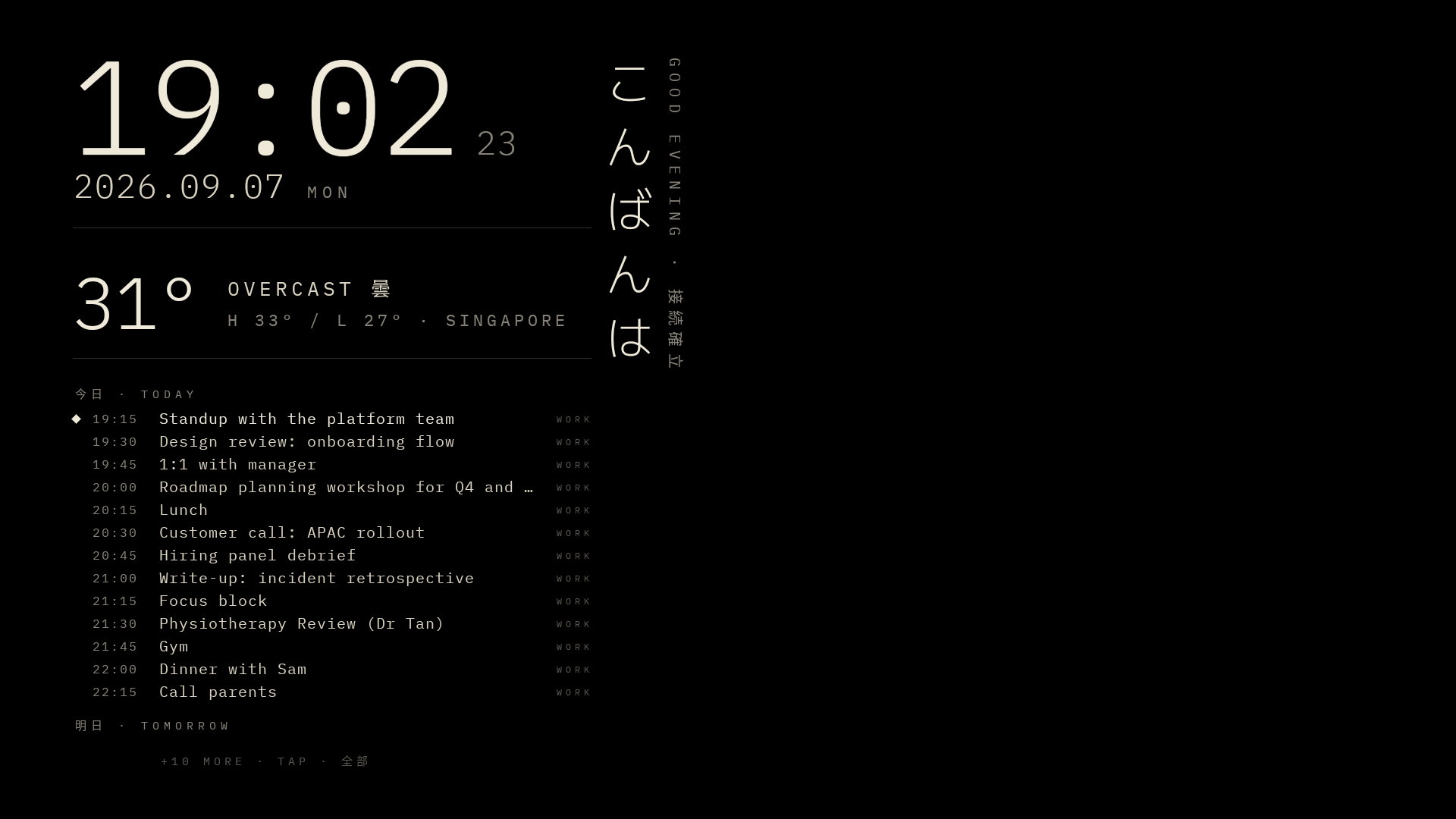
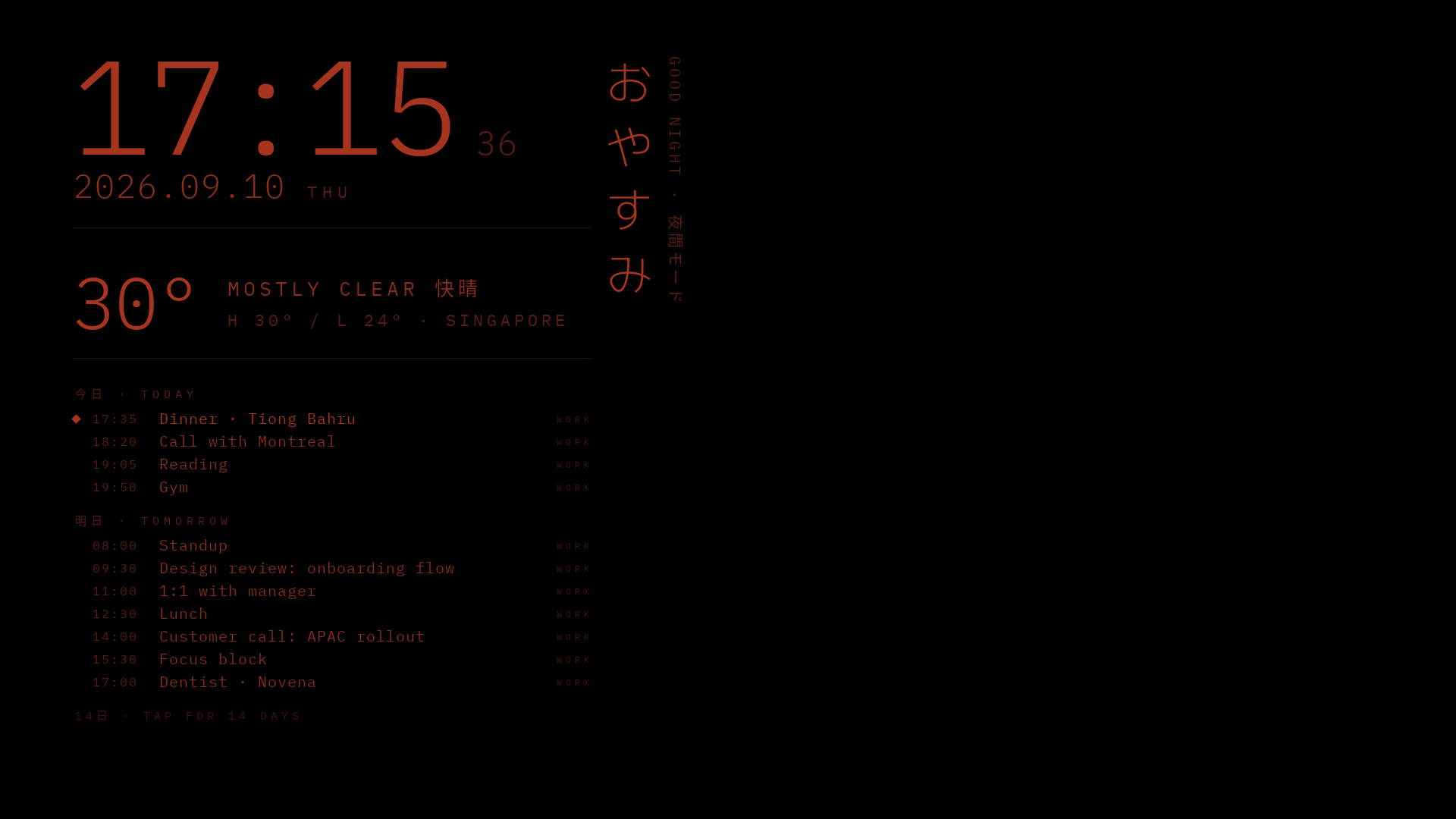
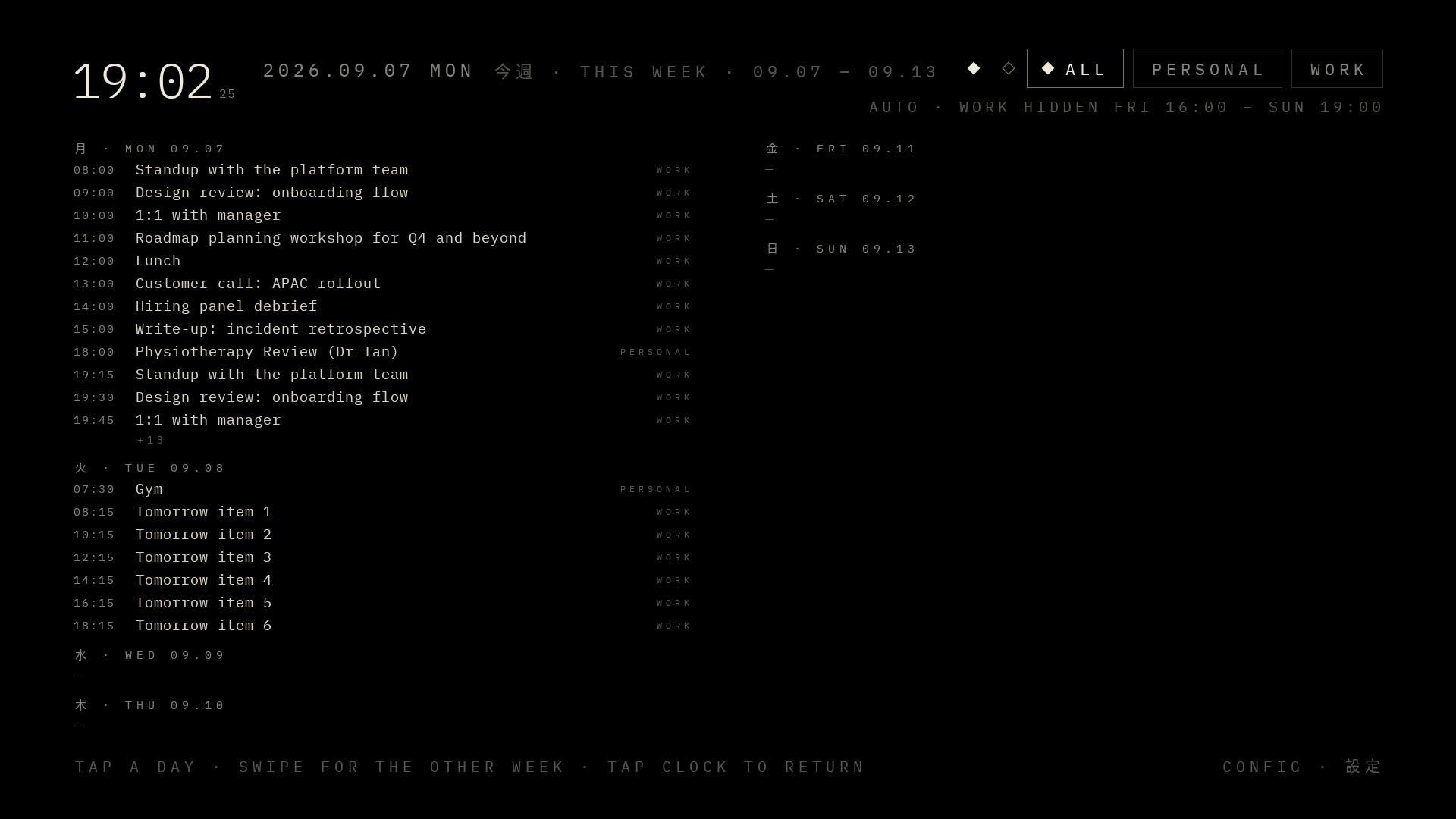
Benedict Evans wrote last week about AI, tools and transformation, and this project is really the epitome of his argument. Tools are cheaper to build than they have ever been. But most people are not tool builders, and most people do not instinctively look for a different way to do anything. The hard part is “knowing that you need a tool for this in the first place”, and then knowing what it should do. I knew both. I had lived with the dead glass for a year and had the design in my head. I also had enough Android in my history to judge what Fable handed back. Take any of these away and the mirror is still unplugged. It takes more than just an LLM to actually build things.
The models are extraordinary at the part I am worst at, the volume, and no help at all with the part I care about, the wanting. Evans’s open question is whether the transformation comes from handing everyone a model or from the new things a few people build with one. I do not know. For me the change is smaller and better: I can now take on a project like this whenever the fancy hits me, and finish it before the fancy leaves.
Update, 13 September 2026: the launcher’s code is on GitHub.